 Form Insights
How It Works
Everything you need to build AI-powered Google Forms, analyze responses
with AI, and get more from FormsVault — whether you're a solo
professional, a business team, an educator or an educational institution.

From blank canvas to live form
The FormsVault Add-on guides you through a
streamlined, AI-powered flow in five simple steps.

Open the FormsVault Google Forms™ Add-on
 at the top toolbar, select FormsVault for Google Forms™ and launch the Add-on panel.
Open the FormsVault Google Forms™ Add-on

Select your Form category

Choose Form type and add inputs
Choose Form type and add inputs

Form Preview & Refine

Generate & Share
Generate & Share

Import content from any source.
FormsVault reads the content you upload or share with the Add-on and uses it as the
knowledge base to generate surveys, quizzes, and grading assessments.
No blank-page syndrome. No manual question writing.

Google Drive
Content source
Browse and select any file directly from your Google Drive — Docs, Slides, Sheets, PDFs, and more. FormsVault will use this content as the knowledge base for your form.
Google Drive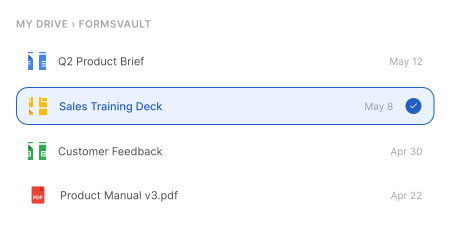 Form Preview
 Refine
 Preview & Refine
Review every question
before it goes live.
FormsVault generates a fully structured Form Preview before committing. Reorder questions, delete ones that don't fit, change answer types, or add entirely new questions — all with a single click.


Who uses FormsVault — and how
For solo consultants to business teams and educators.
1 Google Forms Add-on, covering every use case.
Run every client touchpoint from one place
Consultants, coaches, designers, and independent professionals use FormsVault to increase efficiency, gather better briefs and respondent data, and stop chasing clients for information.
“I used to spend 20 minutes writing the same project intake questionnaire every single time a new client signed. Now I share a reference doc or URL, add some instructions and the form is ready before the coffee's brewed.”
Website Designer
UI | UX
“My coaching clients complete a pre-session form every week. FormsVault generates a new one based on the previous session's documented recap — it's like having a junior assistant who never forgets anything.”
Executive Coach
Corporate L&D
“Form Insights tab told me that 80% of my discovery call no-shows had answered 'maybe' on the commitment question. I rewrote that one question and my no-show rate dropped by half.”
Marketing Consultant
OOH Media
Start building smarter Google Forms today.
Install the FormsVault Add-on directly inside Google Forms — available to all
Google accounts, personal Gmail and Google Workspace alike.
